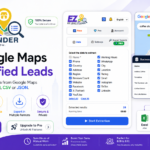
How EZ Lead Finder Works

🚀 How to Use EZ Lead Finder
Turn your Google Maps research into ready-to-use lead lists in just a few simple steps.
1️⃣ Search for a Business
Open Google Maps and search for the business, service, or industry you want to target.
You can search by business type, keyword, location, or a combination of them.
Examples:
Restaurants in Dubai
Digital Marketing Agencies in Abu Dhabi
Dentists in Sharjah
Once your search results are ready, launch EZ Lead Finder.
2️⃣ Choose the Data You Want
EZ Lead Finder lets you choose exactly which data fields you want to collect.
You can select information such as:

💡 Tip: Select only the fields you actually need to keep your lead lists clean and organized.
3️⃣ Start Extracting
Once you’ve selected your preferred data fields, click Start / Extract.
EZ Lead Finder will collect the available information from the businesses found in your search results and organize it automatically.
You can follow the extraction progress directly from the extension.
4️⃣ Discover Social Media Profiles
This is where EZ Lead Finder gets really useful. 🔥
The extension can search for social media profiles associated with the businesses you’ve collected, including:
Instagram • Facebook • TikTok • X • LinkedIn • YouTube
Instead of ending up with just a business name and phone number, you get a much clearer picture of the business’s online presence.
5️⃣ Collect & Organize Your Data
Once the extraction is complete, all collected information is organized into a clean, structured list.
You can review the available information for each business in one place.
Your data is now ready for:
- Lead generation
- Sales outreach
- Digital marketing
- Market research
- Competitor analysis
- Customer prospecting
6️⃣ Export Your Results
When you’re done, export your data in the format that works best for you.
📊 Excel
Perfect for building, managing, and organizing lead lists.
📄 CSV
Great for importing your data into many marketing and CRM platforms.
{ } JSON
Ideal for technical workflows, integrations, and applications.
🎯 What Should You Do With Your Leads?
This is where the real value begins.
Use your data to build a targeted prospect list, then reach out with an offer that actually fits the business.
Example: Web Designer
Search for restaurants → extract their data → review their websites → identify businesses with outdated or missing websites → reach out with your service.
Example: Digital Marketing Agency
Search for businesses → analyze their online presence → compare competitors → identify opportunities → contact the businesses that need your services.
EZ Lead Finder doesn’t sell to your customers for you. It helps you find the right ones. 🚀
⚡ The Simple Workflow
Search → Select Data → Extract → Discover Socials → Organize → Export → Start Selling
Better data + smarter targeting + a strong offer = better opportunities to win new customers.
With EZ Lead Finder, your next lead could be just a search away. 🎯
Try Pro Free — Full Access Included
Unlock All Pro Features. Extract More Leads. Discover More Opportunities.